Technology

  1. Understanding CPU Cores vs Clock Speed for CAD: What Really Matters for Performance

    Understanding CPU Cores vs Clock Speed for CAD: What Really Matters for Performance

    Understanding CPU Cores vs Clock Speed for CAD: What Really Matters for Performance

    When shopping for a CAD laptop, you'll encounter specifications listing processor cores, threads, and clock speeds measured in gigahertz. But what do these numbers actually mean for your CAD workflow? More importantly, which specification matters most for the software you use every day?

    Understanding the relationship between CPU cores and clock speed is crucial for making informed hardware decisions that will support your professional work for years to come. This guide breaks down these technical specifications into practical knowledge you can use when selecting your next mobile workstation.

    CPU Basics: Cores and Clock Speed Explained

    What Are CPU Cores?

    Think of CPU cores as individual workers in a team. A processor with four cores is like having four workers who can handle separate tasks simultaneously. Modern processors range from dual-core chips in budget laptops to 16-core or higher processors in high-end

    Read more »
  2. ScanSnap ix2500 vs ix1500: Is It Time to Upgrade Your Scanner?

    ScanSnap ix2500 vs ix1500: Is It Time to Upgrade Your Scanner?

    ScanSnap ix2500 vs ix1500: Is It Time to Upgrade Your Scanner?

    If you purchased a Fujitsu ScanSnap ix1500 between 2017 and 2022, you invested in what was genuinely the best-selling document scanner on the market. Medical practices, accounting firms, and small businesses across Australia trusted the ix1500 for its reliability and ease of use. Now, with the scanner discontinued since 2022 and the new Ricoh ScanSnap ix2500 setting fresh benchmarks for performance, many ix1500 owners are wondering whether it's time for an upgrade.

    This comprehensive comparison examines the real-world differences between these two scanners, helping you decide whether the ix2500's improvements justify replacing your trusty ix1500.

    Understanding the Legacy: Why the ix1500 Was Special

    When Fujitsu launched the ix1500 in 2017, it represented a significant evolution from its predecessor, the ix500. The introduction of a 4.3-inch touchscreen transformed how users interacted with their scanner, eliminating the need

    Read more »
  3. ScanSnap ix1600 Discontinued: Why the Ricoh ix2500 is the Superior Replacement

    ScanSnap ix1600 Discontinued: Why the Ricoh ix2500 is the Superior Replacement

    ScanSnap ix1600 Discontinued: Why the Ricoh ix2500 is the Superior Replacement

    Looking for the Fujitsu ScanSnap ix1600 in Australia? You're not alone - it was Australia's best selling document scanner and the most popular choice among small businesses. However, the ix1600 is no longer available, having been officially discontinued. The good news? The Ricoh ScanSnap ix2500 isn't just a replacement - it's a genuine upgrade that offers more features while being competitively priced. Here's everything you need to know about the transition.

    What Happened to the ScanSnap ix1600?

    When Ricoh acquired a majority stake in PFU Limited in September 2022, followed by acquiring the remainder in March 2025, they inherited one of the most respected names in document scanning. The rebranding of PFU's scanner products, including the ScanSnap line, began in April 2023.

    The ScanSnap ix1600 wasn't just popular - it was Australia's best-selling document scanner and by far the most popular choice among small

    Read more »
  4. Touch vs Non-Touch Laptops: Which One Should You Buy?

    Touch vs Non-Touch Laptops: Which One Should You Buy?

    Touch vs Non-Touch Laptops: Which One Should You Buy?

    Choosing between a touchscreen and non-touchscreen laptop is one of those decisions that seems straightforward until you start weighing the pros and cons. With touchscreen laptops becoming increasingly common and affordable, many buyers wonder whether the extra functionality justifies the additional cost and potential drawbacks.

    The answer isn't universal—it depends entirely on how you plan to use your laptop. Our comprehensive guide examines the real-world advantages and disadvantages of both options, helping you make an informed decision based on your specific needs and usage patterns.

    Understanding Touchscreen Technology in Laptops

    Modern laptop touchscreens use capacitive touch technology, the same type found in smartphones and tablets. This allows for multi-touch gestures, precise input, and responsive interaction with on-screen elements.

    Touchscreen laptops typically fall into several categories:

    • Traditional touchscreen laptops
    Read more »
  5. Neural Processing Units in Laptops: Your Guide to AI-Powered Computing

    Neural Processing Units in Laptops: Your Guide to AI-Powered Computing

    Neural Processing Units in Laptops: Your Guide to AI-Powered Computing

    If you've been shopping for a new laptop recently, you might have noticed a new term appearing in spec sheets: Neural Processing Unit, or NPU. While this might sound like tech jargon, NPUs are quietly revolutionising how laptops handle everyday tasks, and understanding what they do could help you make a smarter purchasing decision.

    What Exactly is a Neural Processing Unit?

    Think of an NPU as your laptop's dedicated AI assistant—a specialised chip designed specifically to handle artificial intelligence tasks. While your laptop's main processor (CPU) is like a highly skilled generalist that can handle any task thrown at it, and your graphics card (GPU) excels at visual processing, the NPU is the specialist that's brilliant at one particular job: running AI applications efficiently.

    Just as you wouldn't use a screwdriver to hammer in a nail, your laptop's CPU isn't the most efficient tool for AI tasks. That's where the

    Read more »
  6. Certified vs Non-Certified Graphics Drivers: What's the Difference?

    Certified vs Non-Certified Graphics Drivers: What's the Difference?
    Certified vs Non-Certified Graphics Drivers: What's the Difference?

    Certified vs Non-Certified Graphics Drivers: What's the Difference?

    When selecting a CAD laptop, understanding the difference between certified and non-certified graphics drivers can be crucial for your professional workflow. While many users focus on graphics card specifications like VRAM and processing power, the type of driver support your graphics card receives can significantly impact stability, performance, and compatibility with professional CAD applications.

    Quarterly updates aligned with major CAD software releases

    Stability focus over cutting-edge features

    Thorough testing before public release

    Long-term support for established driver versions

    Best Practices for Driver Management

    Professional CAD users should follow these driver management practices:

    Use certified driver versions recommended by CAD software vendors

    Test new drivers in non-production environments first

    Maintain driver consistency across team workstations

    Read more »
  7. Mobile Workstation vs Gaming Laptop: Why CAD Users Need Professional Hardware

    Mobile Workstation vs Gaming Lapto
    Mobile Workstation vs Gaming Laptop: Why CAD Users Need Professional Hardware

    When shopping for a laptop capable of running CAD software, you might be tempted by high-end gaming laptops. After all, they boast powerful graphics cards, fast processors, and often come with attractive price tags. However, there are crucial differences between gaming laptops and mobile workstations that can significantly impact your CAD workflow and productivity.

    Understanding these differences is essential for making an informed decision that will serve your professional needs for years to come.

    Read more »
  8. A Simple Guide to Line Interactive UPS

    A Simple Guide to Line Interactive UPS

    When it comes to protecting your computer, servers, or other sensitive electronics from power issues, a Line Interactive UPS (Uninterruptible Power Supply) is one of the most effective and popular solutions. But what exactly is a Line Interactive UPS, and why should you consider using one? Let’s break it down in simple terms.

    What is a Line Interactive UPS?

    A Line Interactive UPS keeps your devices powered during outages and protects them from voltage changes like sags (dips) and surges (spikes). Unlike a basic standby UPS, it actively regulates voltage without switching to battery power every time there’s a minor fluctuation.

    How It Works

    1. Normal Operation: When the power supply is stable, the UPS allows electricity to flow directly to your devices.
    2. Voltage Regulation: If voltage drops (a "sag") or spikes (a "surge"), the UPS automatically adjusts the voltage using an Automatic Voltage Regulator (AVR)—without switching to battery power.
    3. Battery Backup: During a power outage, the UPS switches
    Read more »
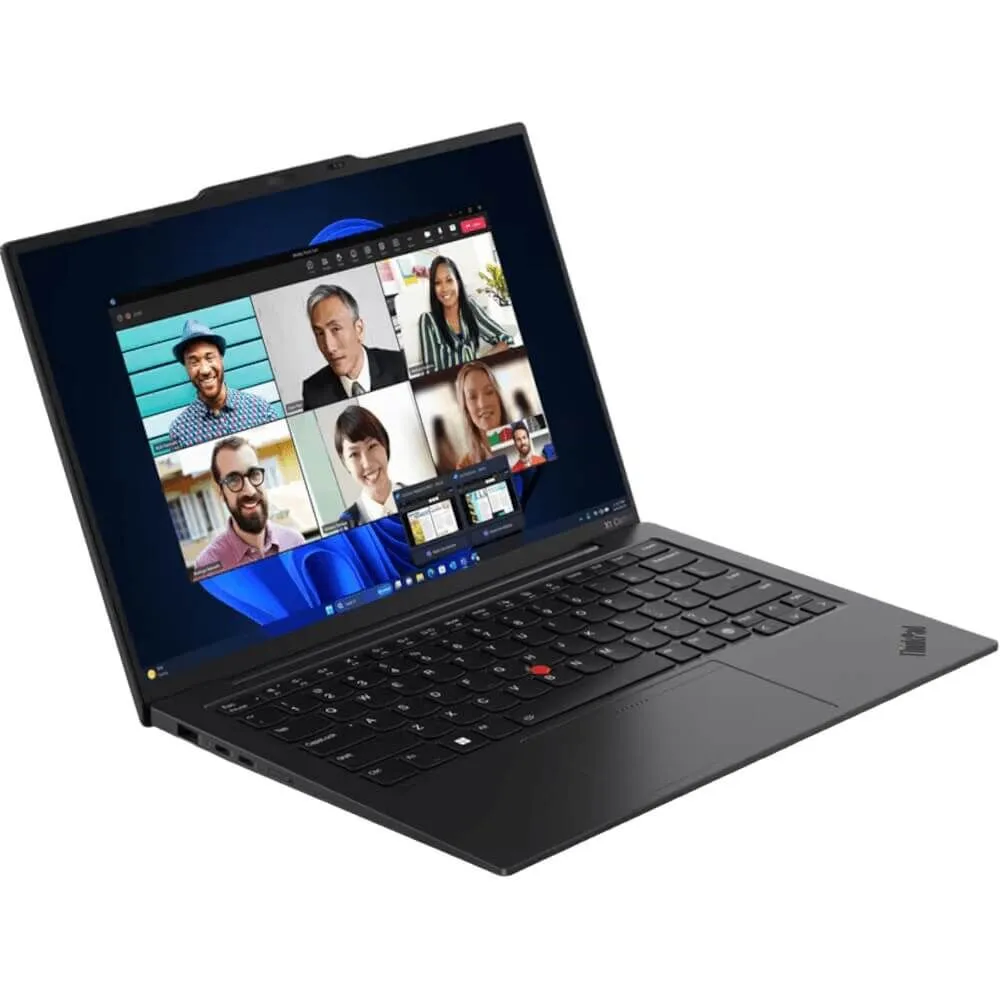
  9. Lenovo ThinkPad X1 Carbon (2024 Edition): Comprehensive Buying Guide and Review

    X1 Carbon Buying Guide

    Lenovo ThinkPad X1 Carbon (2024 Edition): Your Go-To Guide for a Smart Purchase

    Thinking about upgrading your work laptop? 

    The Lenovo ThinkPad X1 Carbon might be the answer you’re looking for. Known for its sleek design and reliable performance, this laptop is a solid choice for professionals in Australia who need a dependable machine to keep up with their busy lives. 

    Let’s break down what makes this laptop stand out and whether it fits you.

    What Makes the New Lenovo ThinkPad X1 Carbon a Special Edition to the Range?

    The 2024 Lenovo ThinkPad X1 Carbon model continues the brand’s tradition of blending portability with power. Here is a laptop designed for professionals who need something lightweight yet sturdy, powerful yet energy-efficient. 

    But what are the specific features that make it shine?

    Light as a Feather, Strong as Steel

    • Weighing just 1.08kg, this laptop is easy to carry around all day.
    • It’s made from carbon fibre and aluminium, which are known for being durable and light.
    Read more »
  10. Wi-Fi 7 vs Wi-Fi 6 - Your guide to the future

    Wi-Fi 7 vs Wi-Fi 6 - Your guide to the future

    WI-FI 7 VS WI-FI 6

    With the arrival of Wi-Fi 7 just around the corner, there is much buzz around the future of wireless internet. As it stands, Wi-Fi 6 has been the most advanced wireless technology available to date. But just how much better will Wi-Fi 7 be than its predecessor? In this guide, we’ll take a closer look at the differences between Wi-Fi 6 and Wi-Fi 7 and the benefits both standards offer, and the key advantages Aussie businesses and consumers alike can expect from Wi-Fi 7.

    Understanding Wi-Fi Standards

    The Institute of Electrical and Electronics Engineers (IEEE) develops and maintains the Wi-Fi standards that allow devices to communicate wirelessly. The Wi-Fi standards are identified by a series of letters and numbers. This combination of letters and numbers is often referred to as IEEE 802.11 followed by the appropriate letter or number combination.

    Wi-Fi technology has become an integral part of our daily lives. We use for work, to stream movies, browse the internet, and

    Read more »